

Tesla Certified Installer
Gen 3 Tesla Wall Connector Installation Planning
Plan a Gen 3 Tesla Wall Connector project around the circuit, mounting location, connectivity, commissioning, power sharing, and future charging needs.
This article is general education, not electrical design or do-it-yourself instructions. A qualified professional must assess the property and applicable requirements.
A Gen 3 Tesla Wall Connector installation combines a branch-circuit project with connected-device setup. The hardware generation, vehicle, parking position, Wi-Fi conditions and electrical capacity all affect the finished result. This guide helps a homeowner collect the right information, compare complete proposals and reserve electrical testing and installer-level configuration for qualified professionals.
The central decision is whether the selected Gen 3 hardware, charging configuration and mounting plan fit the vehicle and electrical system. Confirm the exact model, current Tesla instructions and the provider responsible for configuration instead of treating every Wall Connector generation alike.
Confirm generation before designing around features
Wall Connector generations can differ in commissioning, connectivity, supported power management, and accessory compatibility. Use the product label, Tesla account records, invoice, or exact part number. Do not identify a generation only from the color or handle. Share the model with the electrician before accepting a design that depends on a specific feature.
If equipment is already purchased, confirm that it is new or suitable for transfer, includes required mounting parts, and is intended for the market and electrical system. Used equipment can carry unknown settings or damage. The contractor should be allowed to reject unsafe or unsupported hardware.
Plan connectivity at the mounting location
Gen 3 setup includes a connected commissioning process. Check signal quality where the unit will be mounted, especially in detached garages, concrete structures, exterior walls, or underground parking. A phone showing a Wi-Fi symbol nearby is only a rough indication. Discuss supported network improvements before installation day.
Connectivity supports configuration and product features, but it should not lead to insecure credential sharing. Decide which owner account will manage the product, who performs installer-level setup, and how temporary access is removed. Record device identity and supported settings in the handoff.
Reserve a path for a second connector thoughtfully
If a second EV is likely, identify its parking position and charge port now. Spare conduit, distribution space, mounting area, or a planned power-sharing configuration may reduce future disruption. “Future-ready” should be specific: state the pathway size, endpoint, panel space, pull string, or network assumption included.
Do not oversize today’s circuit solely because another vehicle might arrive. Power Sharing can coordinate supported connectors within a defined capacity, but it requires compatible hardware and deliberate commissioning. The future design should be sketched, not merely mentioned.
Commission the current setting, access, and updates
Installer-level commissioning links the Wall Connector to the actual branch circuit. Confirm the circuit value, maximum current, access mode, and any power-management group. If firmware or network steps are required by Tesla’s current process, complete them before the contractor leaves when possible.
The owner should understand normal lights and messages without receiving unsafe directions to open equipment. Demonstrate vehicle connection, cable storage, app access, and where Tesla product support differs from electrician support. Save a configuration summary with the electrical records.
Avoid legacy instructions and improvised combinations
Online videos often mix generations, countries, and outdated setup screens. Use Tesla’s current documentation for the exact product. The fact that a prior Wall Connector was wired a certain way does not prove the same circuit or configuration suits a Gen 3 replacement.
Adapters, third-party controls, mixed generations, and nonstandard network workarounds should be treated cautiously. Ask the installer to identify Tesla-supported components and the basis for any other equipment. Unsupported combinations can complicate operation, inspection, and warranty service.
Compare Gen 3 installation scopes
A Gen 3 installation proposal should address mounting hardware, branch circuit, conductor termination, commissioning access, circuit setting, firmware connectivity, Power Sharing if included and final testing. The scope needs the exact connector generation, responsible permit applicant, starting design facts and clearly priced allowances. Proposals that omit commissioning or connected setup may describe a different finished result even when their totals look lower.
Watch for treating commissioning as optional, using an installation setting that does not match the circuit or promising Power Sharing without documenting compatible equipment and the group design. When the circuit route or Wi-Fi condition has not been checked, the quote should name that dependency and the visit that will resolve it. Connected setup should not be hidden behind an unexplained allowance.
The owner should leave with the installed circuit rating, charging setting, device identity, connectivity status, configured access controls and Tesla support path. Match those records to the physical unit and panel label. Keep the electrical contractor’s warranty terms separate from Tesla’s product coverage so a later issue can be routed correctly.
Send the installer a Gen 3 project brief
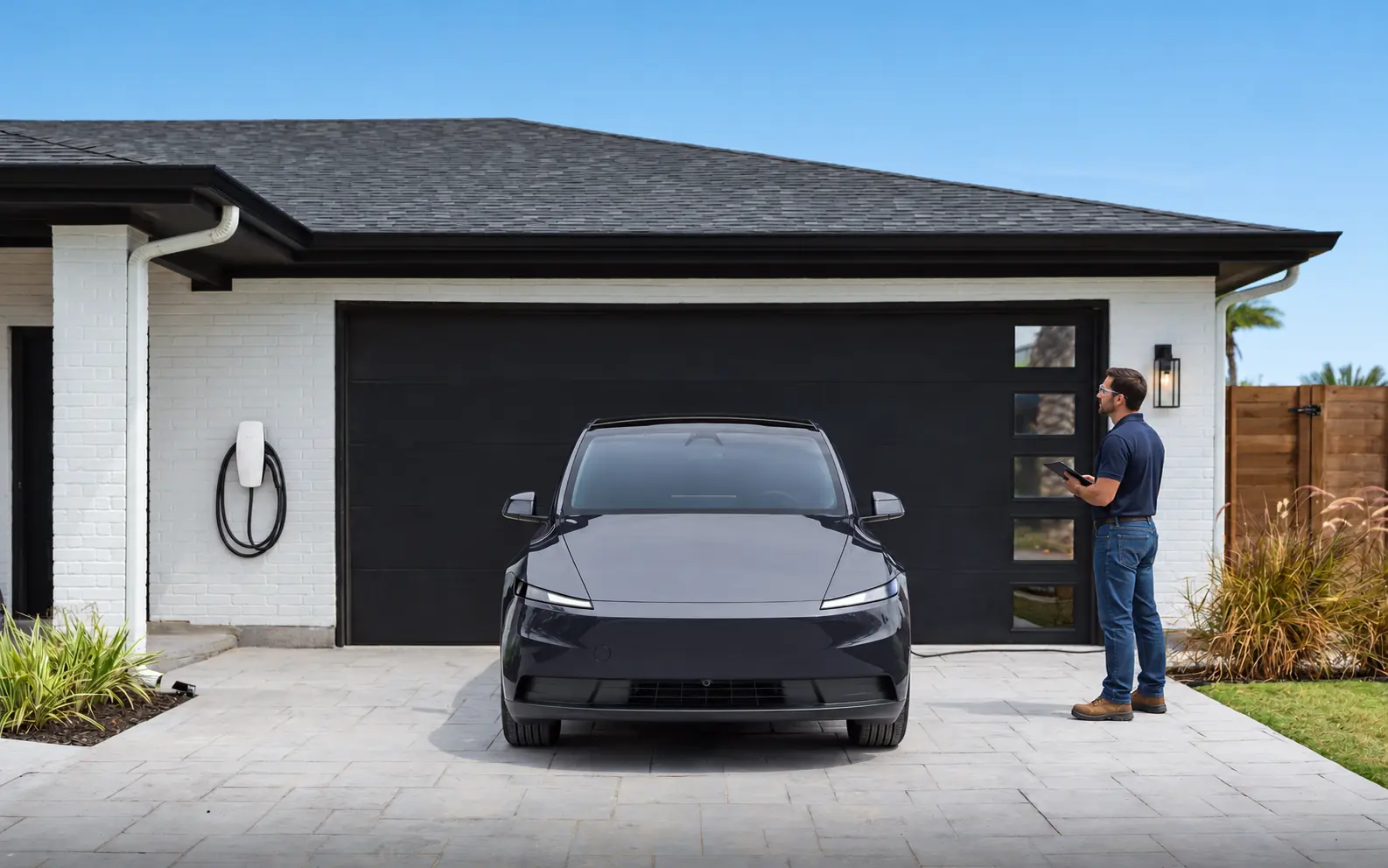
Send the exact Gen 3 hardware, vehicle, safe panel information, likely wire route, wall construction, garage signal strength, parking orientation and second-connector plan. A photograph with the car parked normally can clarify reach and mounting options without exposing electrical parts. Tell the installer about credible future charging equipment before circuit and network assumptions are finalized.
Ask the candidate to describe recent Gen 3 commissioning, its use of current Tesla instructions, the load assessment and the local permit sequence. For a group, request an example of how device identities and the total limit are documented. Check the contracting entity’s electrical credentials independently and reverify product support before the appointment.
Confirm the exact generation and part number, then ask for the electrical installation and connected setup in one written scope. When ready, request service with the product and address, or review Tesla Wall Connector installation. Verify the provider assigned to the address, current product support, availability and final deliverables before work is booked.
Turn the proposal into a commissioning checklist
Before approving a Gen 3 project, match the model number, circuit, configured current, Wi-Fi plan, access settings and commissioning deliverables across the drawing and agreement. Resolve any difference between a product feature mentioned in sales material and the feature actually supported by the installed hardware.
Read the Gen 3 proposal beside Tesla’s current installing material for the confirmed part number. It should cover mounting hardware, the branch circuit, conductor termination, Tesla One commissioning access, circuit setting, connectivity, Group Power Management when included and a functional test. If the quote promises a connected feature or accessory, ask where current Tesla documentation supports that exact combination. This review connects marketing features to the hardware and installer work actually being purchased.
An efficient site visit begins with the exact hardware, vehicle compatibility, panel information, likely wire route, wall construction, signal strength, parking orientation and any plan for a second connector. Park normally so cable reach can be assessed and clear safe access without touching electrical components. Provide records already available and identify any landlord, HOA or facility approval that may affect the work.
State the Gen 3 handoff requirements before authorizing installation. The owner should receive the installed circuit rating, configured charging setting, device identity, connectivity status, access-control setup when used, a successful charging demonstration and the correct product-support path. Documenting those items gives both parties a clear definition of completion without implying that every future vehicle or network condition has been tested.
Track open Gen 3 questions beside the quote, including the part number, available circuit capacity, route measurement, Wi-Fi check, approval status and any Power Sharing assumption. Give each question an owner and a decision date before equipment is ordered. If an assumption changes, revise the scope instead of allowing an unverified item to disappear into the final price.
Preserve the device identity and configuration record
A connected charger can become difficult to support when the owner does not know which serial number, circuit label or app entry belongs to the physical unit. Ask the installer to match the Wall Connector’s device identity to the panel schedule and parking location. Save the configured current, access-control choice, Wi-Fi status and any Power Sharing group details with the invoice. If the household later changes its router, vehicle or second-charger plan, those records give Tesla support and the next electrician a reliable baseline. They also reduce the risk that a software or account change is mistaken for an electrical defect.
Frequently asked questions
Keep the Quickstart Guide and its unique QR credentials secure until commissioning and customer registration are complete. At handoff, confirm the device appears under the correct Tesla Account, the circuit setting matches the approved design and temporary installer access follows Tesla’s current workflow. This avoids an electrically finished unit remaining assigned to the wrong party.
How do I know which Wall Connector generation I have?
Use the product label, purchase documentation and current Tesla support information rather than relying only on appearance. Share the exact model with the installer.
Can Gen 3 units share power?
Tesla documents power-management options for supported configurations. The installer should confirm compatibility, network limits and the total available capacity.
Can I install now and add another later?
Yes as a planning goal, but future routing, mounting space, network design and electrical capacity should be considered during the first project.
Why does commissioning matter?
Commissioning connects the installation settings to the actual circuit and enables supported configuration. It should be part of the documented handoff.
Should I update firmware before installation?
Follow Tesla’s current setup process. The installer should complete required commissioning and verify connectivity as part of the project.
Sources
Request a property-specific assessment
Share the address, equipment and project goal. The service team can confirm the next step and proposed provider qualifications.
More from the learning center
Continue reading.
Related guides for the next decision.
Cable Routing for a Tesla Charger Installation
Compare Tesla charger cable routes through garages, attics, crawlspaces, exterior walls, and underground paths while planning access and restoration.
Read the articleDo I Need a Panel Upgrade for a Tesla Wall Connector?
Find out how electricians evaluate panel capacity for a Tesla Wall Connector and when load management, a smaller circuit, or panel work may be considered.
Read the articleHow to Find a Tesla Certified Installer Near Me
A practical guide to finding and comparing a Tesla Certified Installer near you for Wall Connector, Powerwall, and related electrical projects.
Read the article